 Source Files
Files App and Finder
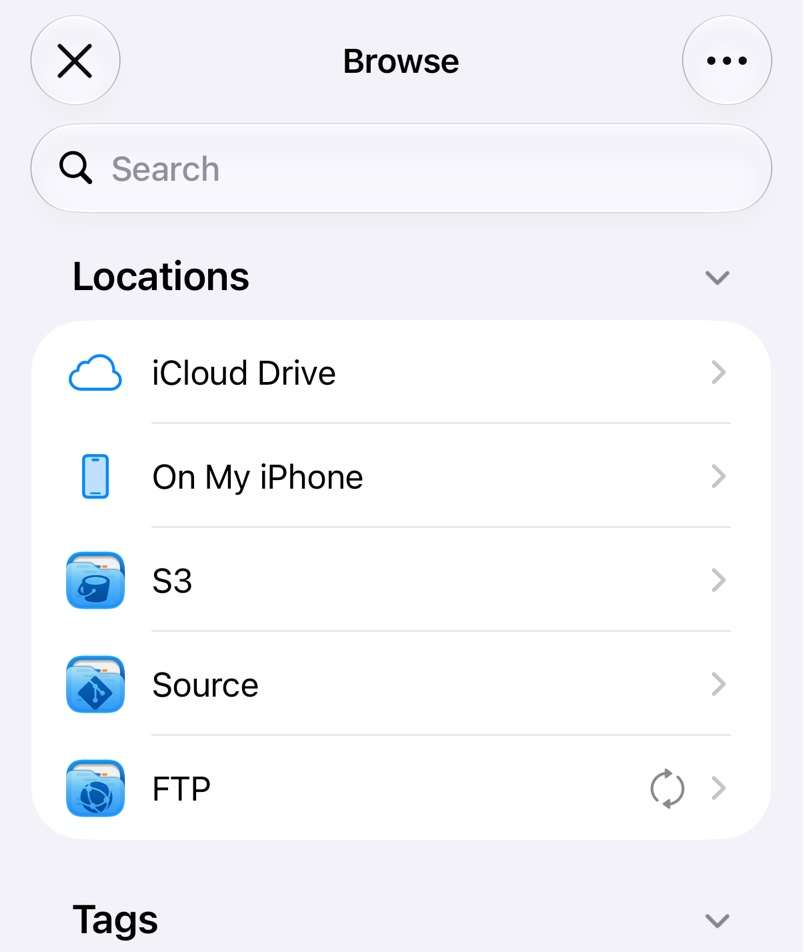
Source Files adds a Source location to the Files app on iPhone and iPad and to Finder on a Mac, with a folder for each repository. Files download when you open them and upload when you save, so any app that edits in place can work on your repositories. Every save is a commit; see How Saving Works.
If the location doesn't show up, tap on the Files app's Browse screen, tap Edit and switch on Source. On a Mac it's under Locations in the Finder sidebar.
Actions in the context menu
Long-press an item in the Files app, or right-click it in Finder, for:
- Browse opens it in Source Files.
- Manage shows its kind, size and modification date.
- Share Link, or Copy Link in Finder, makes a link to the file's page on the service. Creating links is a Pro feature.
On a Mac
Keep Downloaded in the Manage window keeps a file or folder downloaded when macOS frees up space, a Pro feature. Terminal and other tools reach the files in ~/Library/CloudStorage/Source.
Troubleshooting
- Files or folders stop updating. In Files app Diagnostics in Settings, or Diagnostics in the Finder tab on a Mac, Check Status tests the location and Reset rebuilds it, losing changes that haven't uploaded.
- Files can't be changed. The repository is read-only for your account; see Repository Problems.