 Source Files
Signing In with OAuth or an Access Token
Private repositories and saving need an account on the service. You sign in once per service, and accounts sync to your other devices through iCloud Keychain.
There are two ways in. Website Signup, called OAuth on a Mac, has you approve Source Files on github.com, gitlab.com or bitbucket.org. An access token is a key you create on the service and paste in. It's the only way in for Gitea and for your own servers.
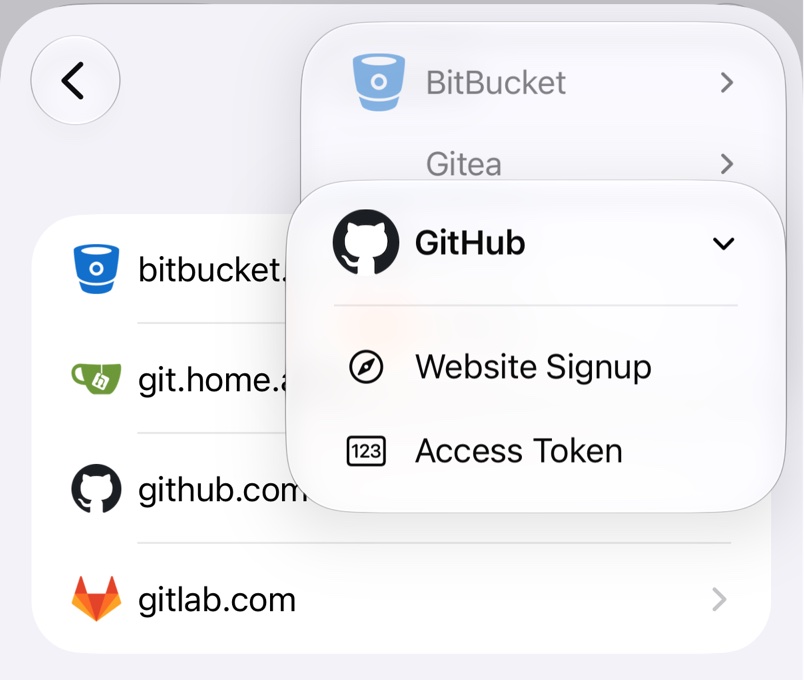
Sign in through the website
In Source Files on iPhone and iPad, open Settings → Accounts → +, then pick the service and Website Signup. On a Mac, open Settings → Accounts → +, pick the Git Provider, choose OAuth under Authentication and click Continue. Configure Account… offers the same while adding a repository.
Sign in with an access token
Create the token as described below and choose Access Token. Leave Address as it is for the public sites; Self-Hosted Servers covers your own. Paste the token into Personal Access Token and tap Sign In. A wrong token, or one missing a scope, fails right away with the service's error.
GitHub
From your profile picture on github.com, go to Settings → Developer settings → Personal access tokens → Tokens (classic) → Generate new token → Generate new token (classic). Tick repo, plus workflow to edit .github/workflows, and copy the token, as GitHub shows it only once. A fine-grained token needs Contents set to read and write and reaches only one owner's repositories. GitHub's guide has the details.
GitLab
Select your avatar, then Edit profile → Access → Personal access tokens → Generate token → Legacy token. Tick api, set an expiration date and select Generate token. GitLab's guide has the details.
BitBucket
In your Atlassian account settings, go to Security → Create and manage API tokens → Create API token with scopes, choose Bitbucket and tick read:user:bitbucket, read:workspace:bitbucket, read:repository:bitbucket and write:repository:bitbucket. App passwords and repository or project access tokens don't work. Atlassian's guide has the details.
Gitea
Go to Settings → Applications and fill in Token Name. Set Repository and Organization Access to All (public, private, and limited), pick Read and Write for repository and Read for user, and click Generate Token. On Codeberg and Forgejo, it's Settings → Applications → Access tokens.
When a token stops working
If the service says a token is bad or has expired, copy the whole token again or create a new one. For an account you already have, paste it into its Access Token field under Accounts in Settings. If an organisation's repositories are missing, see Repository Problems.