 Source Files
Self-Hosted Servers
Source Files works with servers you or your company run. Your own server needs an account made with an access token and the server's address, which also tells Source Files what kind of server it is.
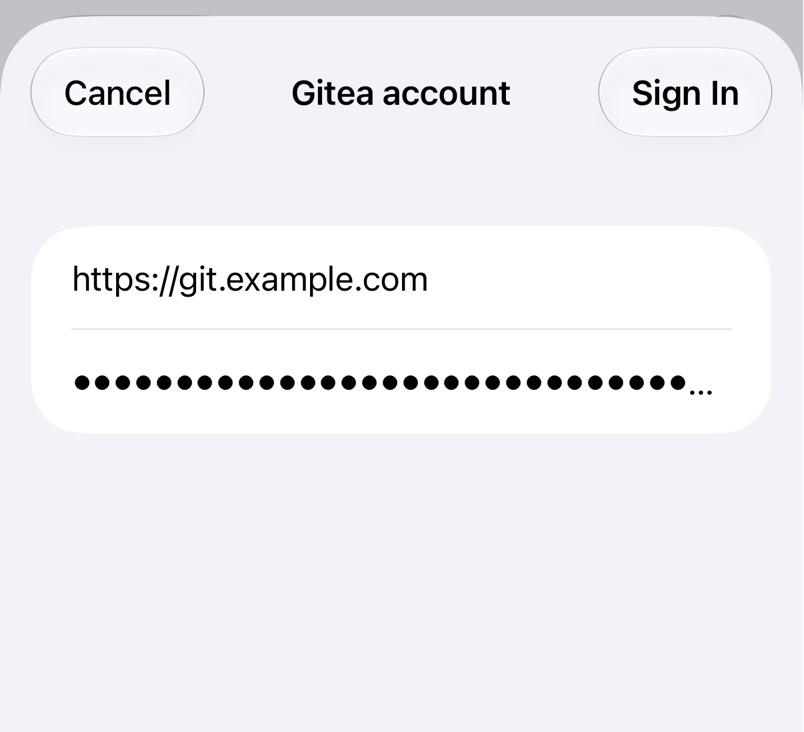
1. Create the account
In Source Files, open Settings → Accounts, or pick Configure Account… while adding a repository, and choose the service and Access Token. Set Address to your server, with https:// and no path, such as https://git.example.com. Paste a token made there and tap Sign In. Signing In shows where each service keeps its tokens.
2. Add the repository
Pick the same service and account in Configure Repository to list your server's repositories, or paste a repository's address.
What works
- GitHub Enterprise Server. Ask your administrator if its REST and GraphQL APIs can't be reached.
- Self-managed GitLab, including nested subgroups.
- Gitea, Forgejo and Codeberg: choose Gitea, with
https://codeberg.orgas the address for Codeberg. - BitBucket only at bitbucket.org, not BitBucket Server or Data Center.
The server has to answer at the root of its host name, not under a path such as https://example.com/gitlab.
Troubleshooting
- Unknown service for '…' or no Branch row. Pick your account under Account; see Repository Problems.
- Local Network Access Required means a server on your local network needs permission. Tap Open Settings and allow it.